The Nighthawk User Interface is written in .NET and uses a file called Nighthawk.xml for its configuration currently. When Nighthawk is extracted on your system, the full path is actually Nighthawk/UI/bin/Release/Nighthawk.xml.
The user interface itself can be run on Windows or using mono on a Linux system. Typically in order to add a command alias required the user to edit the Nighthawk.xml file directory which is prone to error.
In order to ease this burden, the NightHawkDeploy repository internal to BHIS now has a Python script called importAliases.py. The only requirement to run the script is a standard installation of Python 3.9 or above on the target system. No additional dependencies exist.
The script is designed to process the XML data to create either general aliases or specific Beacon Object File (BOF) aliases. The workflow is as follows:
- Create an Excel spreadsheet with your command alias name in column A and the actual alias text in column B. There is an example in the repository called bofs.xlsx.
- Save the spreadsheet as a CSV file.
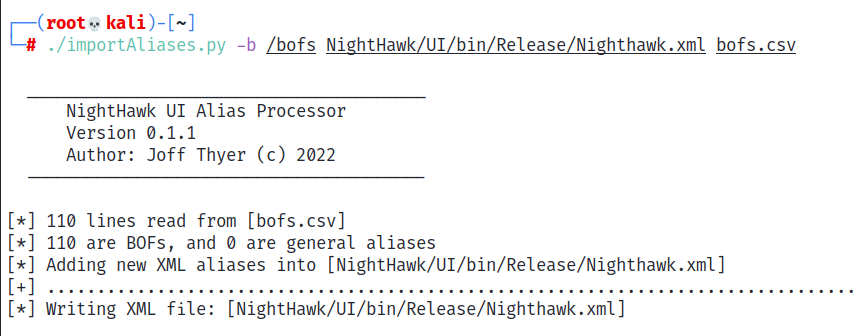
- Execute the Python script supplying both the path name to the Nighthawk.xml file and the CSV file as input. Note: You can also supply an argument “-b” to indicate the path to where you are storing beacon object files. This defaults to /bofs.
- Start up the Nighthawk User Interface as per normal.
Sample screenshot of running the Python script is shown below.