First
Links: Detect and Remediate Illicit Consent Grants: https://learn.microsoft.com/en-us/microsoft-365/security/office-365-security/detect-and-remediate-illicit-consent-grants?view=o365-worldwide
Introduction To 365-Stealer - Understanding and Executing the Illicit Consent Grant Attack: https://www.alteredsecurity.com/post/introduction-to-365-stealer
Azure-AD Attack and Defense: https://github.com/Cloud-Architekt/AzureAD-Attack-Defense/blob/main/ConsentGrant.md
Register the Malicious Application:
1. Go to Azure AD to begin the process.
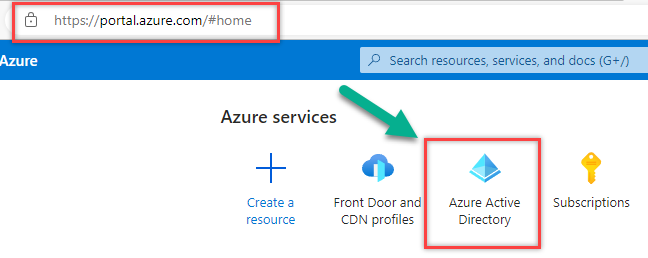
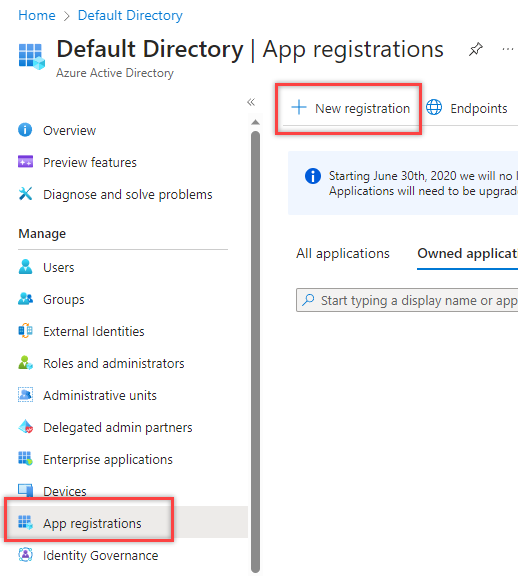
2. Select App Registrations >> Click new Registration
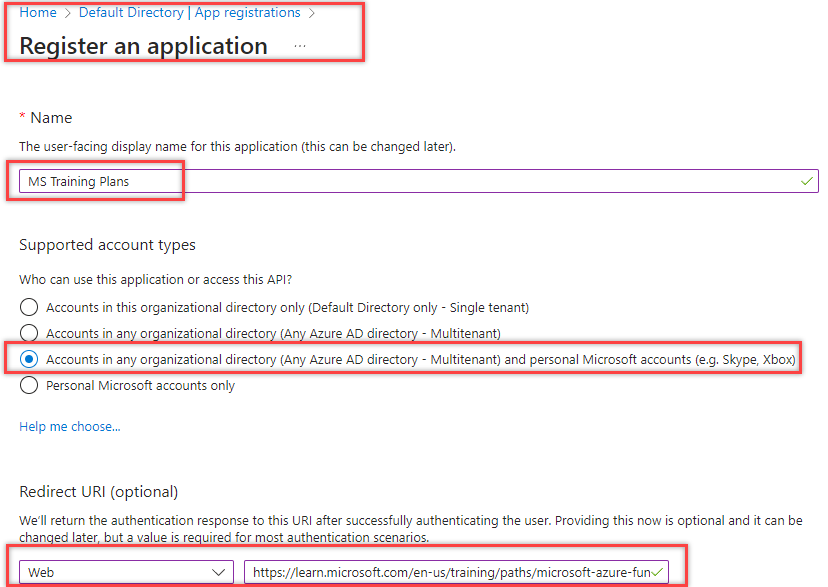
Choose a name based on whatever ruse you are using. There are other uses for this attack, here we are choosing Initial Access.
For this example, we’ll pretend to be Microsoft Training. Fill out the information and click Register.
3. Create a Secret for the Application
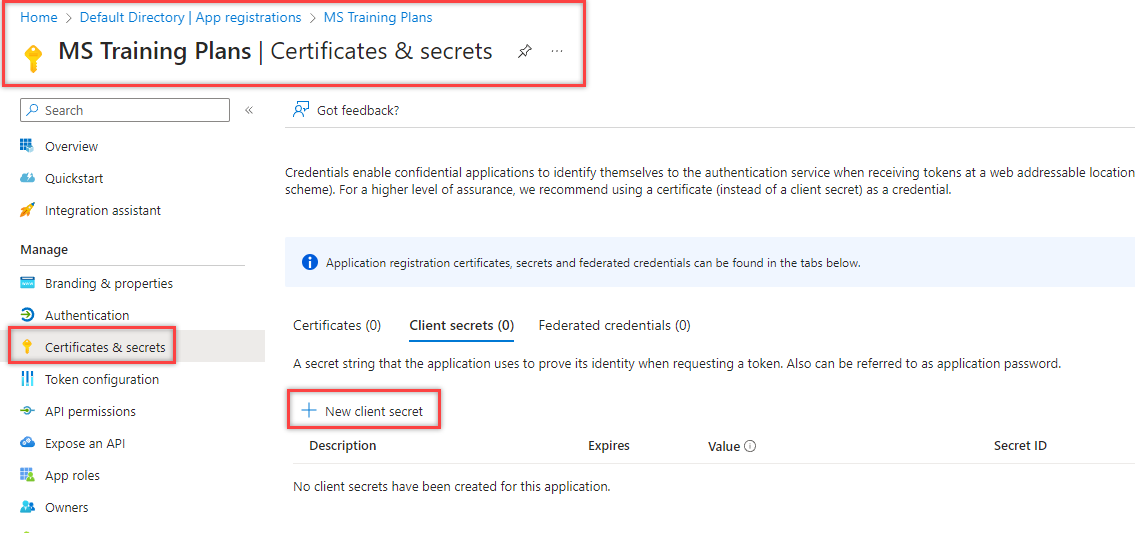
4. Create the Secret’s Description
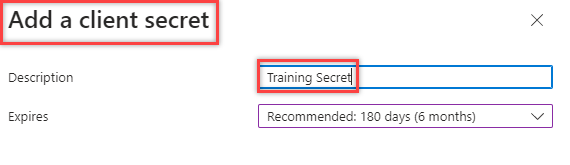
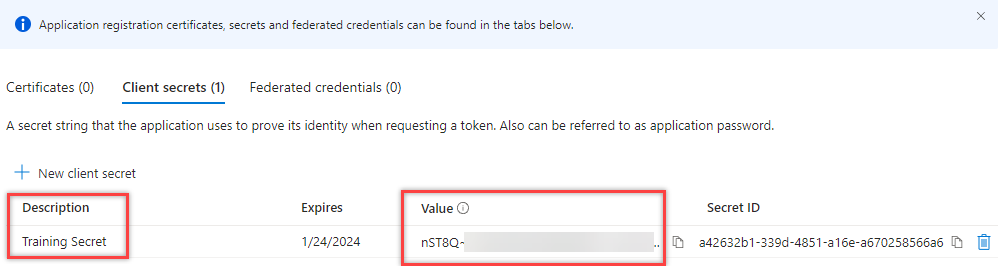
5. With the Secret made, copy to a safe location for later
6. Select the API Permissions for the application (Note, the more API permissions you select, the phishier it’ll appear to the end user if using this for initial access)
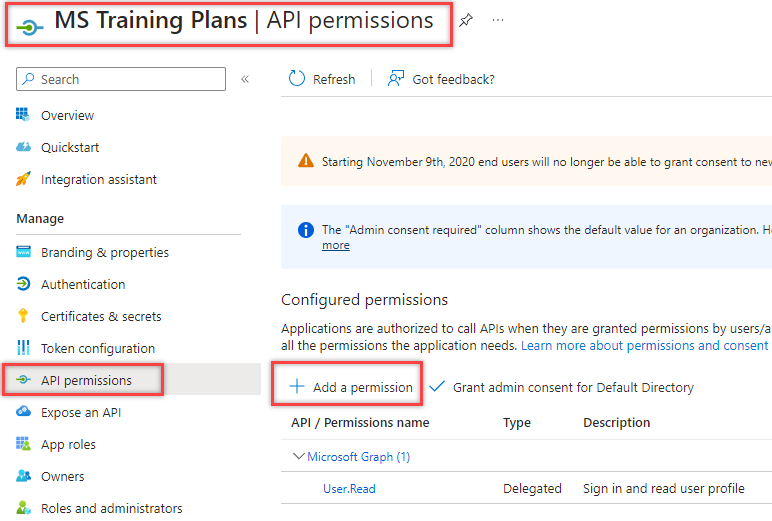
In this example, select the Microsoft Graph API for permissions.
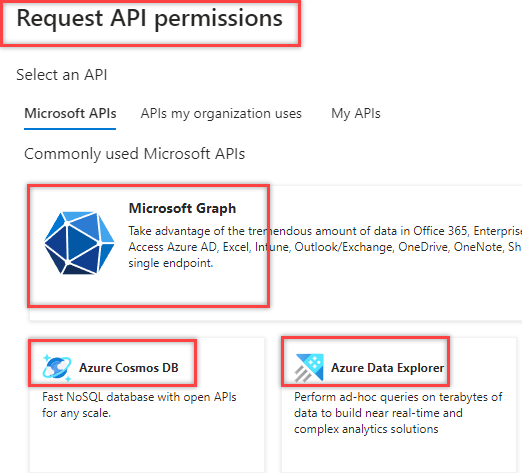
7. Select Delegated Permissions
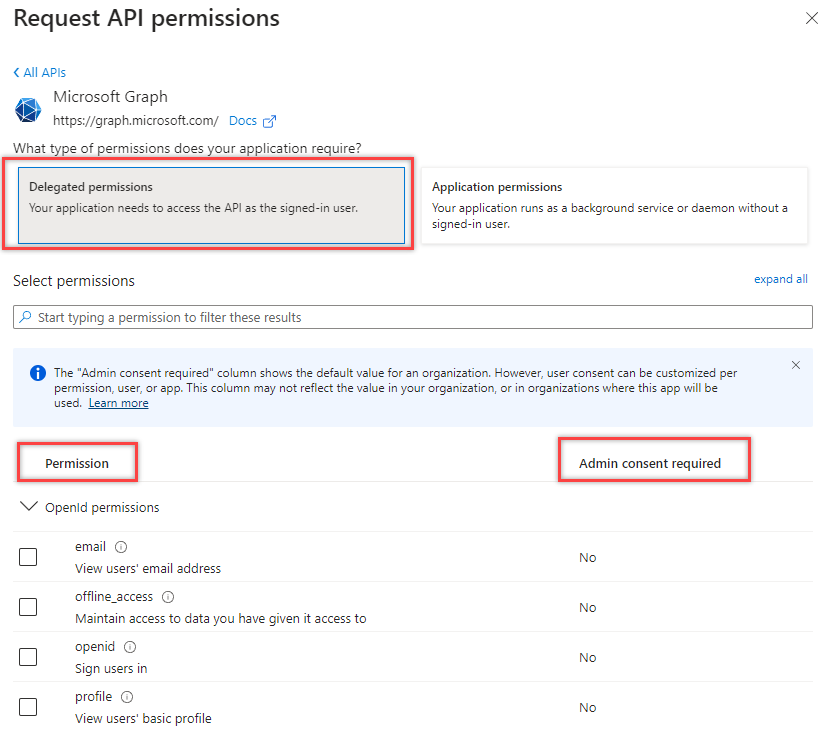
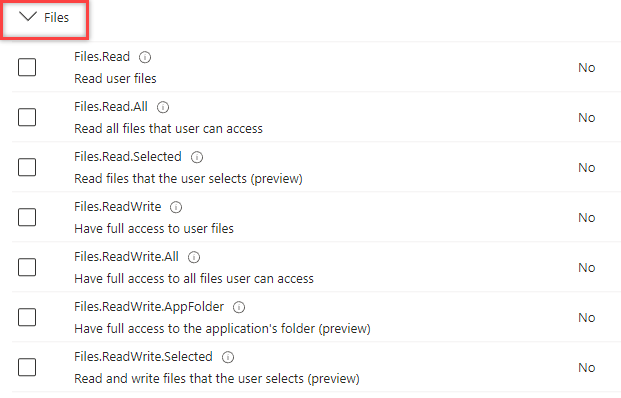
8. Choose which permissions you need. For this example we’ll choose files. Check permissions and
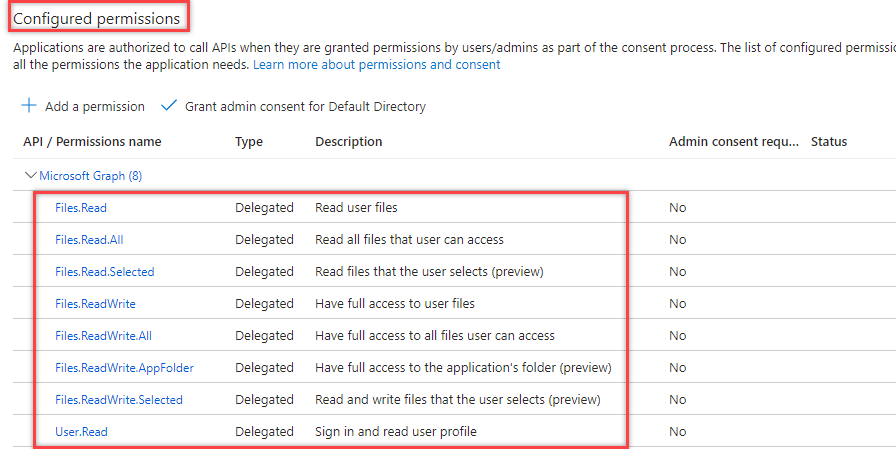
Now we have all of the configured permissions
9. Go to overview and grab the Application ID
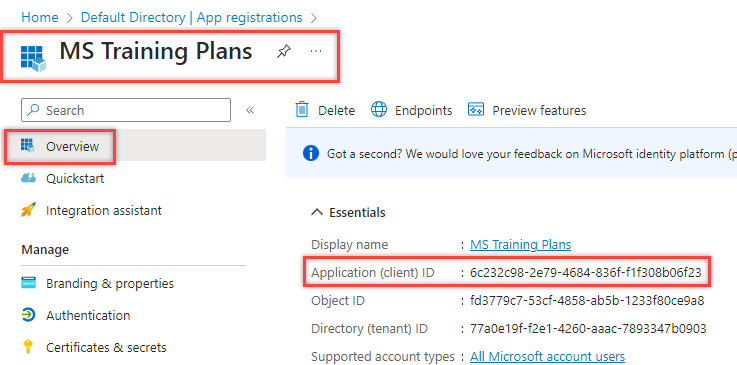
Now you should have the three things you need to begin Initial Access:
- Application Secret - Application ID - Redirect URI
Second
This step assumes the following
- You have a Malicious Application registered in Azure.
- You have a domain or CDN with a valid cert.
- You enjoy hacking.
Link:
https://github.com/AlteredSecurity/365-Stealer
1. Download 365-Stealer from the link above
(I generally install all new packages in /opt/)
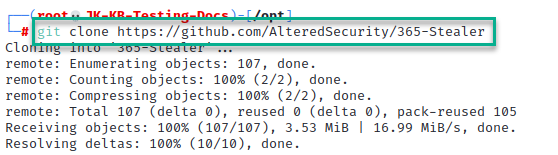
2. Install Python Virtual Environment.
apt install python3-venv
3. Create Virtual Environment
cd /opt/365-Stealer

python3 -m venv Illicit-Grants

source Illicit-Grants/bin/activate
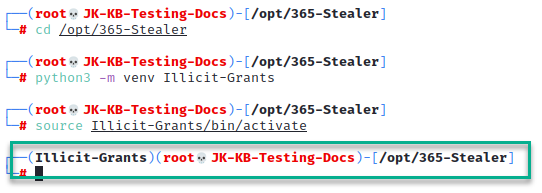
4. Configure Dependencies
pip install -r requirements.txt

5. Run 365-Stealer Config Command
python 365-Stealer.py --set-config
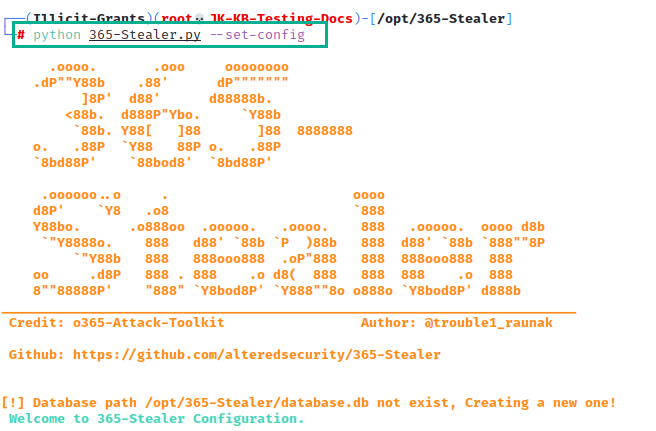
5. Configure 365-Stealer
You need the following information:
- Application ID
- Redirect URI
- Application Secret
This information can be found in the Azure Portal.

6. Visit the phish site

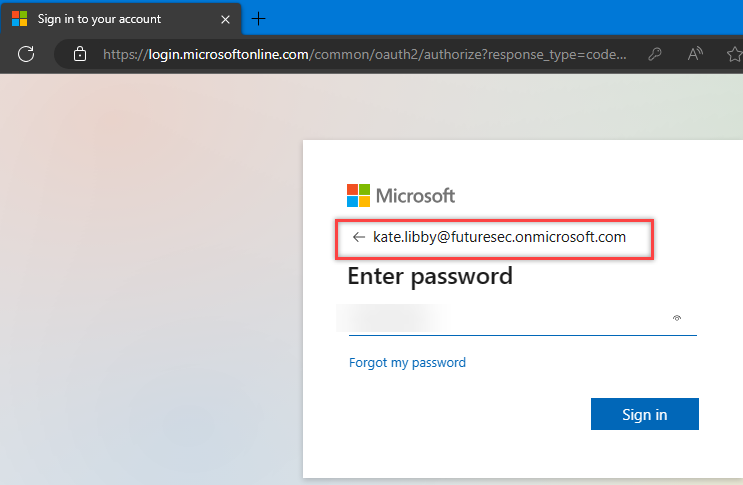
6. Login and get hacked
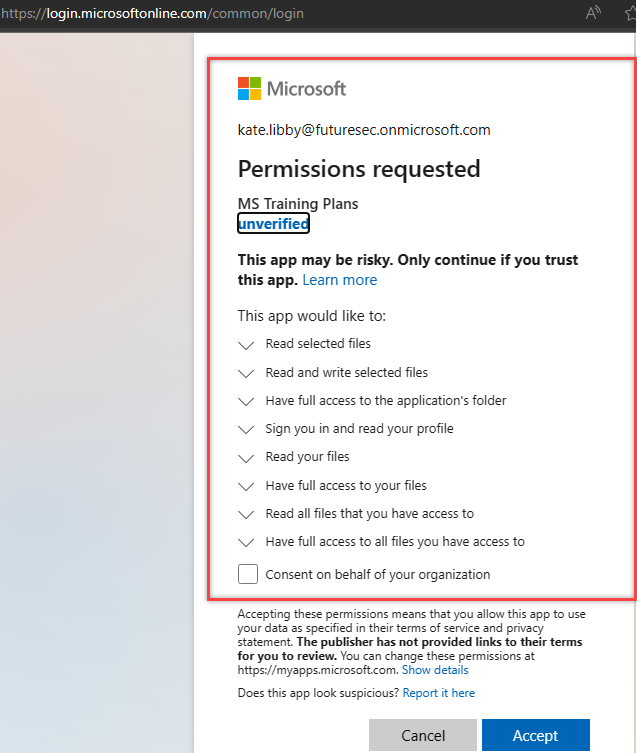
7. Accept Permissions
(Be Careful what you choose in the initial permissions phase - too many permissions might alarm someone.)
8. End User Redirected
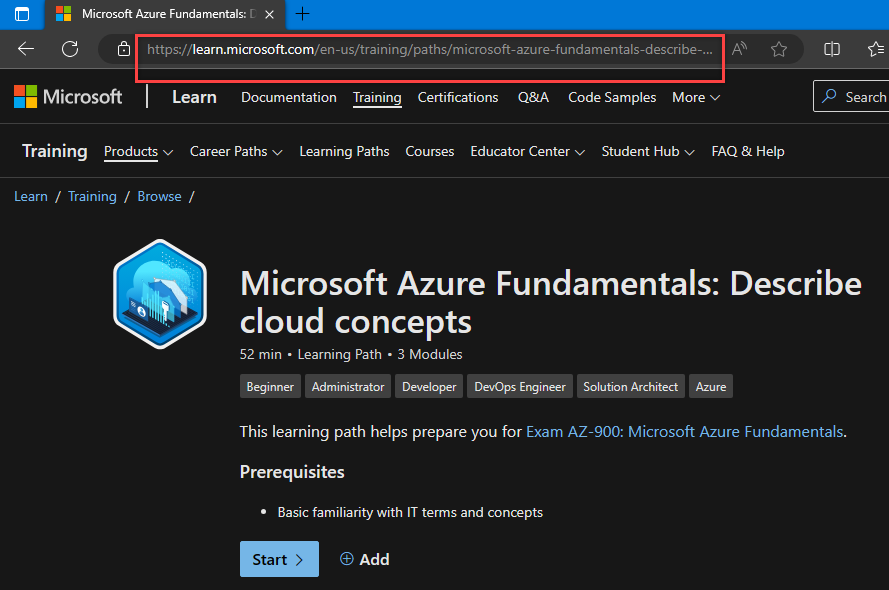
The end user is directed to a Microsoft Training site. Now you have access to whatever permissions you assigned. Generally, admin consent is required for access.