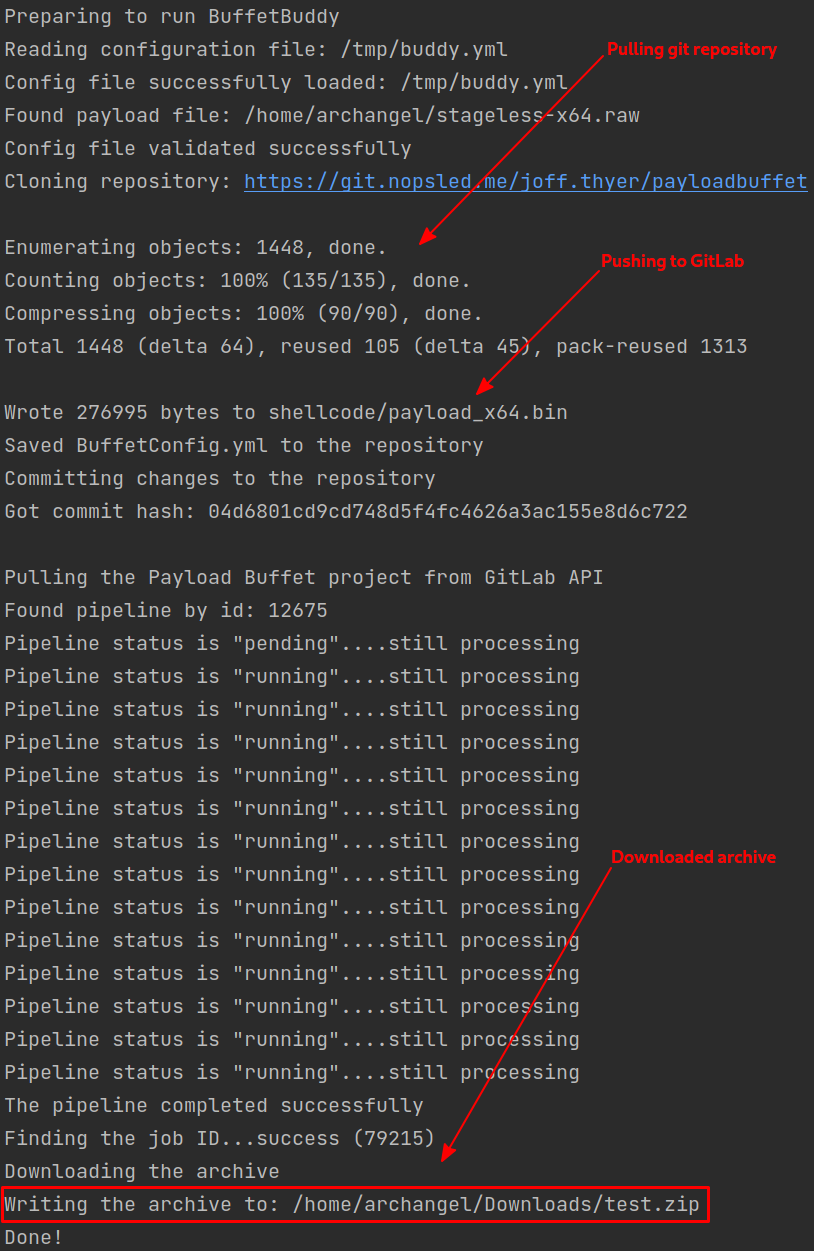
buffetbuddy1 is used to automate submission and retrieval of payloads obfuscated by Joff Thyer’s PayloadBuffet.2
Index
Usage
Running Buffet Buddy
Use OpComp to Generate the Config File
OpComp now has a BuffetBuddy option under YAML forms, which can be used to replace steps 2 and 3.
- Download BuffetBuddy
- Unzip the artifacts file.
- Execute the proper binary for each following step.
- Generate a config file.
- Update the config file.
- Leave credentials empty to be prompted at runtime.
- Run
buffetbuddy
./buffetbuddy run -c config.yml- Wait for completion, then proceed to access the zip archive saved to the location as specified by the configuration file.
Generating a Config File
Use OpComp to Generate the Config File
OpComp now has a BuffetBuddy option under YAML forms.
- Generates a config file.
- Sane defaults are provided.
- Per this section, credentials can be left empty.
./buffetbuddy config > config.ymlUpdating the Config File
The following YAML fields need to be updated:
- When saving credentials to file:
BuddyConfig.GitLab.CredentialsUsername- Arbitrary username.Token- GitLab RW API token.
TIP
If either the
UsernameorTokenfields are blank (""), BuffetBuddy will prompt you for input.
- File paths:
BuddyConfig.FilesPayloadsx64- x64 shellcode.x86- (optional) x86 shellcode.
OutputDirectory- Directory where output zip files will be saved.
BuffetConfig- Any changes to this section will be saved to the PayloadBuffet2 repository during processing.
- Make any changes you’d like to see.
Credential Submission
Credentials can be embedded in the config file or captured at runtime.
DANGER
GitLab.Credentials.Tokenmust be a personal access token with read/write API access to GitLab!
By Config File
Embed the username and token in the config file prior to execution.
- Downside: Credentials are saved to disk.
- Upside: Automation is a bit easier.
- Command:
buffetbuddy run -c config.yml - PARTIAL Example Config
BuddyConfig:
  GitLab:
    BaseURL: https://git.nopsled.me
    ApiPath: /api/v4
    RepoPath: /joff.thyer/payloadbuffet
    Credentials:
      Username: "random.username"
      Token: "YOUR-TOKEN-HERE"
# Remaining configs will follow this line...
Standard In
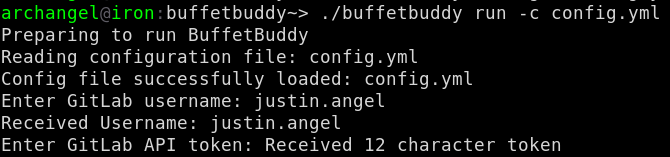
Leave one or both GitLab.Credentials.Username and GitLab.Credentials.Token settings to their defaults ("") and run buffetbuddy. You’ll be prompted for credentials.
- Downside: User must supply credentials for each run.
- Upside: It’s more secure.
- Command:
buffetbuddy run -c config.yml - PARTIAL Example Config
BuddyConfig:
  GitLab:
    BaseURL: https://git.nopsled.me
    ApiPath: /api/v4
    RepoPath: /joff.thyer/payloadbuffet
    Credentials:
      Username: ""
      Token: ""
# Remaining configs will follow this line...- Example Execution:
Where to Download It
https://git.nopsled.me/justin.angel/buffetbuddy/-/jobs
Why?
- Automation
- Justin needed an method to apply these actions during automation.
Problems Solved
Users no longer have to:
- Log in to GitLab
- Clone the repository
- Push to the repository
- Download the artifact zip file