TCC Overview
TCC is a security control in macOS that prevents applications (even running as root) from accessing sensitive data and capabilities. The list of protected folders includes Documents, Desktop, and Downloads. The list of protected capabilities includes camera and microphone usage.
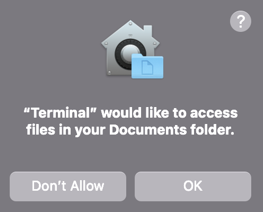
Applications are granted access to TCC-protected resources in their signature (Calendar.app is allowed to access the calendar) or by user prompts:
TCC cannot be “bypassed” without a vulnerability in the OS, but it can be avoided or circumvented.
Unprotected, Valuable Directories
- Browser credentials and cookies:
~/Library/Application Support/Google/Chrome/Default~/Library/Application Support/Firefox/Profiles/[Random ID].default-release/cookies.sqlite - Slack/Teams cookies (SlackPirate)
- Shell config directories:
~/.ssh~/.zsh_history~/.aws~/.Azure~/.config/gloud/
Impersonating Applications
Access to a TCC-protected resource can be achieved by injecting into an approved application.
Dylib-Injection