Burp Suite for Privilege Separation Testing
There’s more than one way to test for privilege separation in webapps. This document tries to collect the ones we’ve had success with:
- Plain Burp Suite, no extensions, two proxy listeners. Described below.
- Using Autorize - in its own article
- AuthMatrix - in its own article, someday…
Plain Burp Suite, No Extensions, two Proxy Listeners
This requires manual effort for each resource you want to test, but is very simple and easy to follow. Not the most efficient, but maybe the easiest first step.
- Set up two proxy listeners, ports 8080 and 8081, for example.
- Open two browser profiles - one for normal user, one for admin.
- Point your normal user browser session to port 8080
- Point your admin user browser session to port 8081
Now you can directly, visually compare the two users access levels.
Testing read access (HTTP GET): copy-paste a URL from the admin browser to the normal user browser and see what happens.
Testing POST and other verbs: In Proxy History you’ll have valid session IDs for both users. Paste into Repeater / Intruder as needed.
Filter Burp Proxy History by listener port to see only one or the other’s traffic.
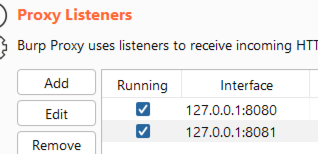 Two Proxy Listeners
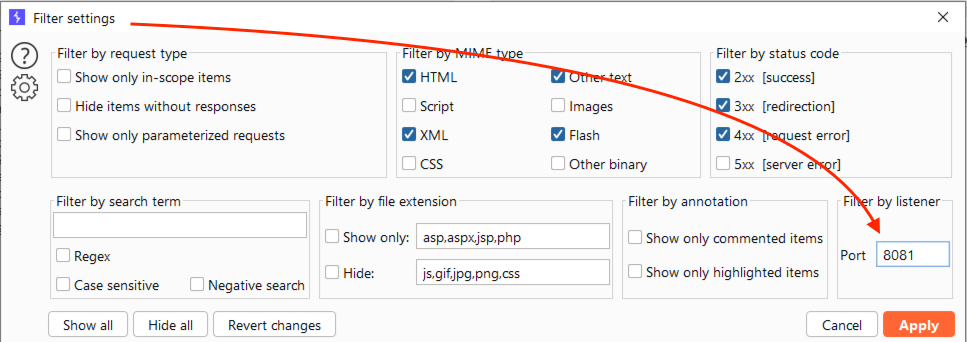 Filter by Proxy Listener