Active Directory PowerShell Module use without ADUC Installed
Objective:
Often, access to Active Directory tools like ADUC and the Active Directory PowerShell module can provide greater functionality and a lower risk of detection. Abusing Active Directory permissions issues and other misconfigurations can often be achieved more easily with these tools. This instruction walks the reader through making the Active Directory PowerShell module available without installing the Remote Server Administration Tools (RSAT) components.
References:
http://woshub.com/using-powershell-active-directory-module-without-installing-rsat/
Instructions
On a system with RSAT tools installed, copy the contents of the C:\Windows\System32\WindowsPowerShell\1.0\Modules\ActiveDirectory into a new folder.
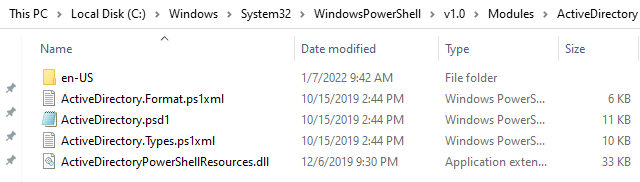
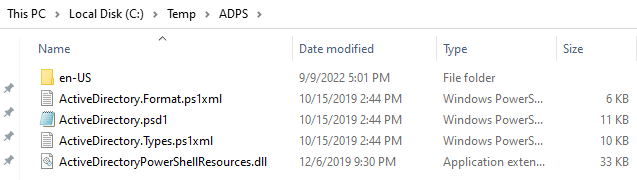
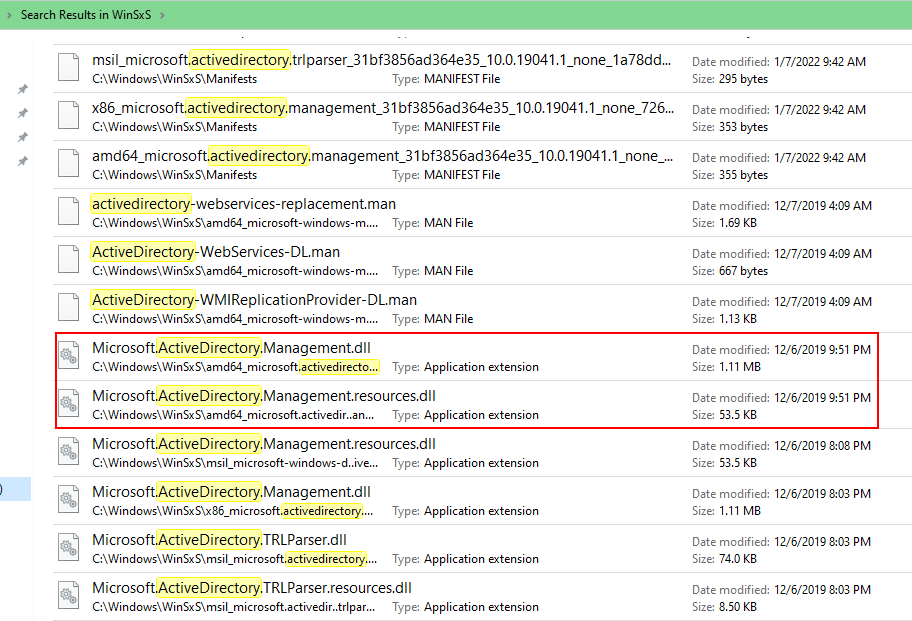
Copy the Microsoft.ActiveDirectory.Management.dll and Microsoft.ActiveDirectory.Management.resources.dll files from the C:\Windows\WinSxS folder into your temporary folder. Ensure that you copy the x64 version of the dlls (amd64_ prefix).
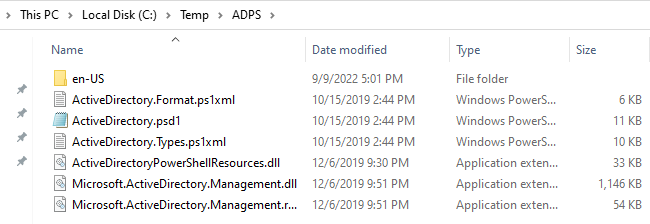
Zip up the folder, copy the contents over to your test system, and unzip. You may need to unblock the resources associated with the PowerShell module prior to use. After unblocking the files, open a PowerShell interpreter and use Import-Module to import the two dll files found in the folder.

The import commands may result in some errors, but in my experience, the commandlets work fine. Module usage can be useful for exploring and exploiting Active Directory misconfigurations like directory, object, and OU permissions issues.