Swagger API definitions can provide documentation for the endpoints and methods that are exposed through a given interface. The word “can” is included in the sentence above because the endpoints and methods included in the Swagger API definitions may not be comprehensive. In addition, the definitions can be consumed by various tools in order to aid in formulating valid baseline requests as a precursor to manual testing and automated scanning.
Swagger API definitions are often accessed via a URL provided by the customer, may or may not require authentication for access, and typically appear like the image shown below.
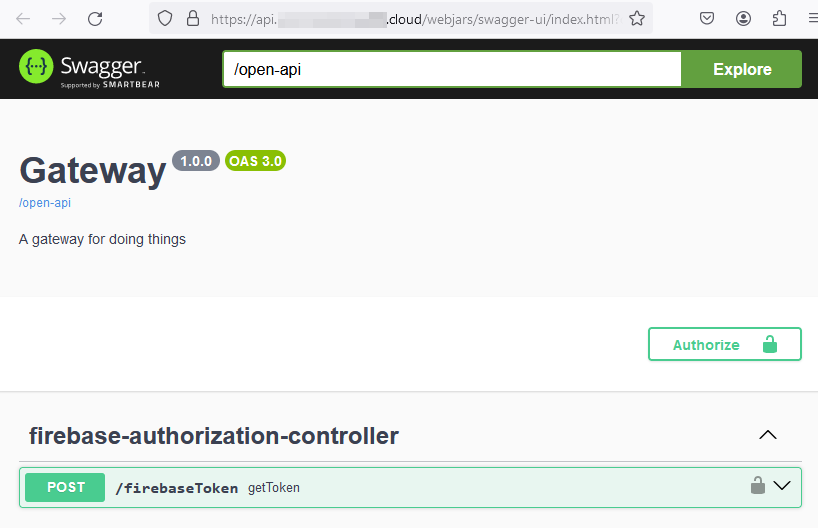 Importing API definitions into a given tool can typically be accomplished by referencing the link under the API name. In this case, the link refers to the /open-api endpoint on the server. Clicking this link will retrieve the JavaScript Object Notation (JSON) OpenAPI specification for the interface. It should look similar to the image shown below.
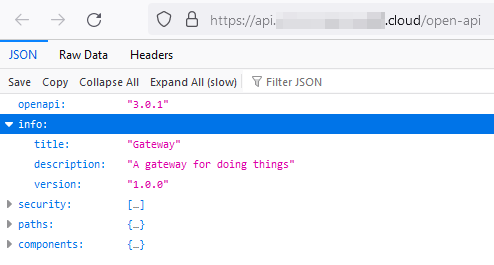
If the OpenAPI specification is well-formed, then the URI used to access the specification can be directly used for import into an API platform tool (like Postman, Bruno, etc).
Alternatively, the JSON specification can be downloaded, modified, and locally imported into the API platform tool. Some common scenarios for download and modification are described below.
Missing Servers Collection
If the API specification is missing the servers collection, then the API platform tool will not know where to send requests for API resources. To correct this issue, you can add a servers collection to the documentation, identifying the server that is to be targeted for testing.
"servers": [{"url": "https://api-server-url.com","description": "Description"}],
Another way to address the missing servers collection is to add an environment or collection-level variable to identify the base URL for requests. This method will require that that variable be prepended to each of the request URIs in the collection, which could be time consuming.
Incorrect Path Variable Delimiter
Path variables may be used in API endpoints exposed by the interface. As a consequence, the tester must typically know and substitute a valid value where path variables are present. As an example, the {customerNumber} and {itemNumber} elements are path variables in the documentation shown below.
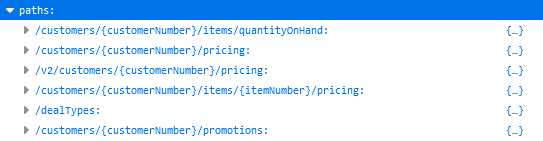
The tester should ensure that the delimiters that appear in the OpenAPI specification conform with the delimiters used by the selected API platform tool. In this case, the variable name is surrounded by a single set of curly braces.
Bruno uses double curly braces to identify path variables, so importing the specification directly into a collection is likely to produce unexpected results. After import, all of the individual variable references would need to be updated to match the desired delimiter format.
As an alternative, the paths can be extracted from the specification, path variables can be identified, and then substitutions can be made to conform with the selected API platform tool. Extraction of paths using the jq tool is shown below.
jq -r '.paths | keys []' open-api.json
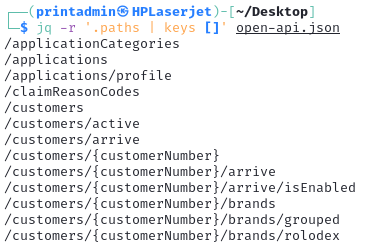
The following reference discusses OpenAPI data extraction, manipulation, and other activities that are useful using the jq utility.
Once the paths are exposed, the results can be used to identify all unique path variables using a combination of the jq, sed, sort, grep, and uniq utilities.
jq -r '.paths | keys []' open-api.json | sed 's/\//\n/g | sort | grep { | uniq
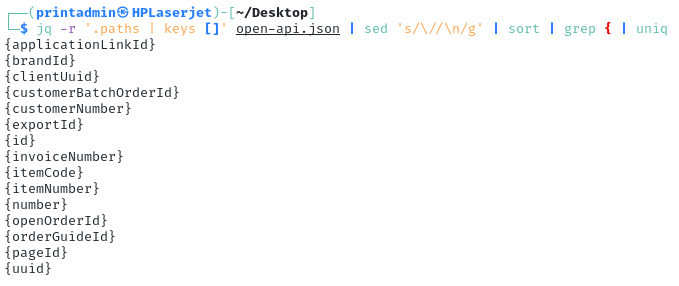 With the list of unique path variables obtained, substitutions can be made using the
 sed utility or your favorite text editor and the specification can be imported into the API platform tool.